Windows updates are supposed to make our computers safer, more reliable, and hopefully a little better than they were the month before. Most of the time, they install quietly in the background and we barely notice them.
August 2026, however, has been a little more complicated.
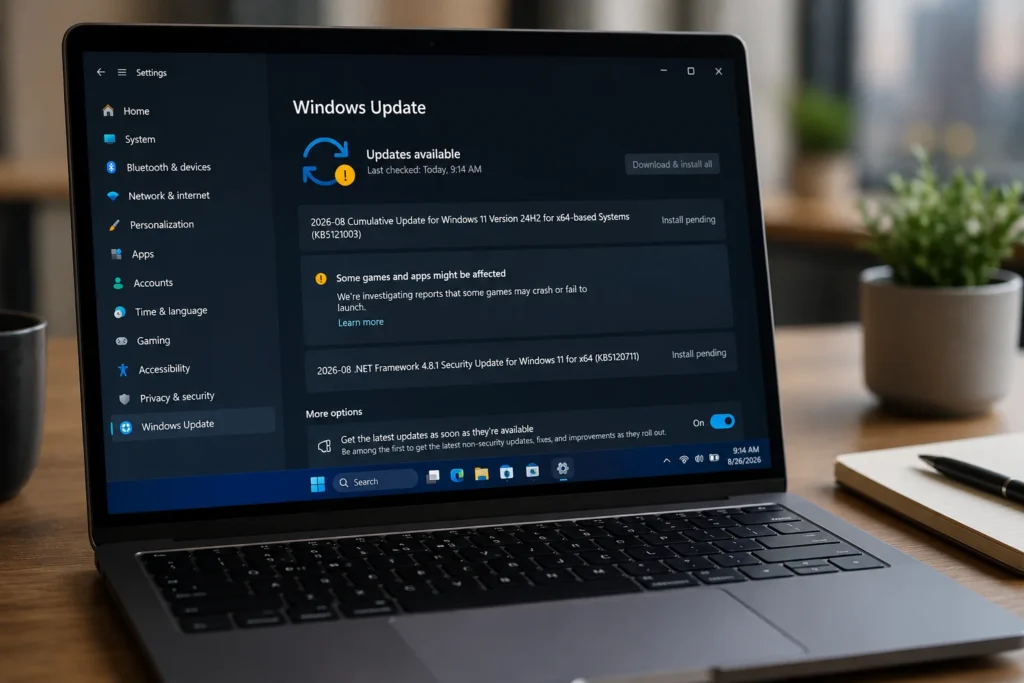
The Windows 11 August 2026 update problems reported by users included games freezing or crashing, unexpected PC restarts, and failures when some applications attempted to print documents or generate PDF files.
For anyone who relies on a Windows PC for gaming or everyday work, these are exactly the kinds of problems that can turn a routine update into a frustrating experience.
Fortunately, Microsoft has investigated the reports and has already resolved or mitigated some of the issues. But the story is slightly more complicated than simply saying that Windows Update “broke” people’s computers.
Here’s what actually happened.
Windows 11 August 2026 Update Problems Hit Some Gamers First
One of the most visible issues appeared following the release of Windows 11 update KB5121003 on August 11, 2026.
Microsoft received reports that several games were no longer behaving as expected after the update. Titles mentioned in those reports included ARC Raiders, MARVEL Tōkon: Fighting Souls, and THE FINALS.
The symptoms weren’t identical on every PC.
Some games became unresponsive. Others suddenly closed without warning. Certain users encountered an EXCEPTION_ACCESS_VIOLATION error, while in more severe cases the entire computer restarted unexpectedly.
Understandably, Windows Update quickly became the main suspect.
After all, when something stops working immediately after installing an operating system update, blaming that update feels like the obvious conclusion.
Microsoft’s investigation, however, revealed something different.
The Gaming Crashes Weren’t Actually Caused by Windows Update
After investigating the problem, Microsoft confirmed that the gaming issue was not directly caused by the August Windows updates.
Instead, the company traced the crashes to certain peripherals or internal PC components featuring RGB lighting.
Some RGB hardware can install drivers or code components with names similar to inpoutx64. When these components were present, launching certain games could trigger crashes and other forms of instability.
This is an important distinction.
The Windows update happened to coincide with the point at which many users began experiencing the problem, but Microsoft ultimately determined that the underlying cause involved third-party RGB-related components rather than Windows Update itself.
It also helps explain why the problem appeared on some gaming PCs while other computers running exactly the same Windows version remained completely unaffected.
Modern gaming PCs can contain software for motherboards, keyboards, mice, fans, liquid coolers, RGB controllers, memory modules, and other accessories. All of that additional software increases the number of components that can potentially conflict with one another.
Microsoft Has Already Addressed the Gaming Issue
The good news is that Microsoft now considers the gaming problem resolved.
The issue was officially marked as resolved on August 26, 2026.
Microsoft introduced a mitigation designed to prevent the problematic driver from loading on affected systems. According to the company’s Windows Release Health documentation, the protection is being deployed automatically to unmanaged consumer and business devices.
Microsoft also plans to include the relevant driver block in the September 2026 Windows security updates.
For most home users, that means there should be no reason to start manually modifying Windows simply because they read reports about the problem online.
If your games are working normally, the safest option is usually to leave the system alone.
If you were affected, updating Windows, your RGB software, motherboard utilities, and peripheral drivers is a much more sensible first step than experimenting with unofficial fixes.
Printing and PDF Export Problems Are Different
Another issue associated with Microsoft’s August releases is more relevant to productivity and business users.
The August 2026 .NET Framework cumulative updates can cause some applications based on Windows Presentation Foundation, commonly known as WPF, to fail when printing documents or generating PDF and XPS content.
Microsoft says affected applications can produce a System.IO.FileFormatException when processing documents that use certain fonts, including the extremely common Calibri font.
Unlike the gaming problem, this issue is directly associated with Microsoft’s August .NET Framework update.
For most users, the technical reason behind the failure isn’t especially important.
The practical result is much easier to understand: an application that worked normally before the update may suddenly throw an error when you try to print something or export a document as a PDF.
And depending on the application involved, that can be much more than a minor inconvenience.
Why the PDF Problem Could Be Particularly Annoying for Businesses
Printing and PDF generation are still extremely important in professional environments.
Accounting software, internal management applications, invoicing systems, document-management programs, and specialized business tools may rely on older Windows technologies such as WPF.
A bug affecting PDF creation therefore has the potential to interrupt real workflows.
Imagine preparing an invoice, report, contract, or customer document only to discover that the application can no longer generate the PDF you need.
For a home user, that might simply be irritating.
For a business, it could interfere with day-to-day operations.
The good news is that the issue does not affect every Windows application or every PDF file. It requires specific software and document conditions, which explains why many Windows 11 users will never encounter it.
Microsoft Has a Temporary Workaround — but There’s a Catch
Microsoft has documented a workaround that developers and IT administrators can apply through an application’s configuration.
However, there is an important warning.
The workaround disables a security protection that Microsoft introduced with the August 2026 .NET update.
Microsoft explicitly warns that doing so may increase exposure to the vulnerabilities addressed by the update and therefore recommends using the workaround only temporarily and only when it is genuinely necessary.
That makes this very different from a simple Windows setting that users can safely toggle on and off.
For an average home user, manually modifying application configurations probably isn’t the best idea.
If a particular application suddenly stops printing or exporting PDFs, checking with the software developer or your IT administrator is the safer approach.
As of the end of August 2026, Microsoft still lists the issue as being investigated.
Why Simply Uninstalling the Update Isn’t Always a Good Idea
When an update creates problems, the first instinct can be simple: uninstall it.
Sometimes that can be useful as a temporary troubleshooting measure, but it shouldn’t automatically be the first response.
The August .NET Framework update contains important security fixes, including patches addressing remote-code-execution and information-disclosure vulnerabilities.
Removing a security update can therefore solve one problem while quietly reintroducing another.
Before uninstalling anything, ask a simpler question:
Is your computer actually affected?
If your games are running normally, your applications can still print, and PDF exports work as expected, there’s probably no reason to change anything.
If you’re experiencing gaming crashes, make sure Windows and your gaming or RGB-related software are fully updated.
If a professional application can no longer print or generate PDFs, check whether its developer has published an update, workaround, or support notice.
Not Every Windows 11 PC Is Affected
It’s also important to keep these Windows 11 August 2026 update problems in perspective.
Whenever a Windows update causes trouble, reports quickly spread across forums, social media, Reddit, support communities, and technology websites.
That can make a problem feel universal even when it affects only a relatively specific combination of hardware and software.
The gaming crashes, for example, depended on particular RGB-related drivers being installed.
The printing problem affects specific WPF applications and certain font-processing scenarios rather than every program capable of printing or creating a PDF.
So if you’ve installed the August updates and everything is working normally, there’s no reason to panic.
What Windows 11 Users Should Do Now
For most users, a few simple precautions are enough.
Keep Windows updated, but don’t forget about the rest of your PC.
Graphics drivers, motherboard utilities, RGB software, gaming peripherals, and other hardware components also receive updates, and keeping them current can help avoid compatibility problems.
It’s also worth checking Microsoft’s official Windows Release Health pages whenever something suddenly stops working after an update.
Microsoft frequently documents known problems there, along with their current status, available workarounds, and eventual resolutions.
Most importantly, be careful with unofficial fixes.
Random registry modifications, driver removals, command-line scripts, and system tweaks found in forum posts may occasionally solve a problem, but they can also create new ones.
Knowing exactly what a fix changes is just as important as knowing whether it works.
Final Thoughts
The Windows 11 August 2026 update problems are a good reminder of just how complicated modern PCs have become.
When something breaks after Windows Update, the update isn’t necessarily the true cause.
Microsoft’s investigation into the recent gaming crashes eventually traced the problem to RGB-related drivers rather than Windows Update itself, and the issue has now been marked as resolved.
The printing and PDF situation is different.
Microsoft has confirmed that the August 2026 .NET Framework updates can interfere with printing and PDF/XPS generation in certain WPF applications, and the company is still investigating the issue.
For most Windows 11 users, however, there’s no reason to avoid updates all together.
Keep Windows and your hardware drivers current, avoid unnecessary system modifications, and if something suddenly stops working after an update, check whether Microsoft has already acknowledged the problem before spending hours trying to fix it yourself.
Sometimes the best troubleshooting tool isn’t another command, registry tweak, or reinstall.
It’s simply knowing what actually went wrong.